
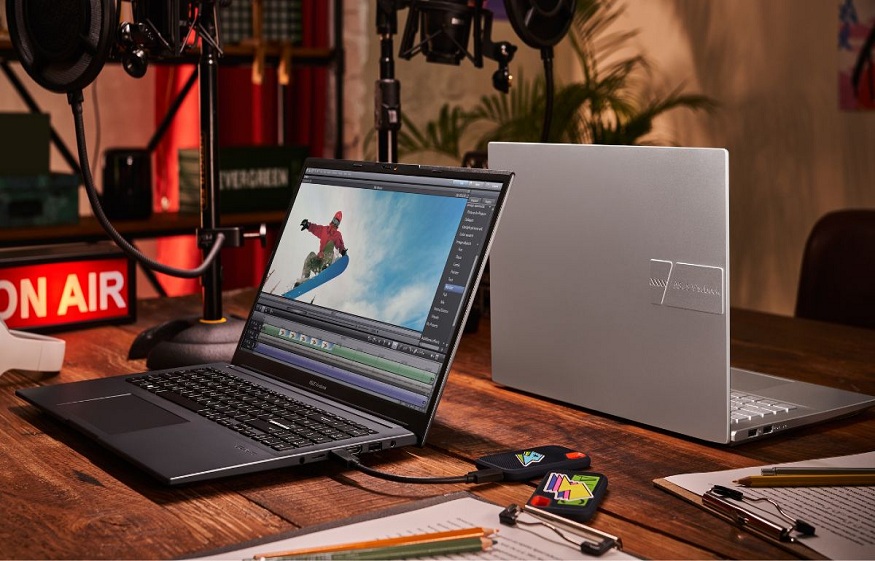
Editing videos on a budget can be challenging, especially when you need a laptop that can keep up with timelines, effects, and large files. Many users look for devices that offer dependable performance without pushing them into premium price brackets. Fortunately, several laptops today provide a practical mix of speed, storage, and display quality suitable for everyday editing. In this article, we explore some options that you may consider.
ASUS: The ProArt P16 (H7606)
If you are looking for a powerful creator laptop designed for heavy editing workloads, the ASUS ProArt P16 (H7606) is built to deliver that level of performance. It offers workstation-grade hardware, a large creator-friendly display, and enhanced thermal design, making it a making it a good laptop for video editing, 3D work, and colour-accurate content creation.
Key Advantages:
- The ProArt P16 comes with high-performance processors and dedicated graphics options that handle demanding creative applications with ease.
- Its large memory configuration and fast SSD storage ensure smooth editing timelines, quick project loading, and efficient file management for large video assets.
- The device features a spacious OLED display with high resolution and precise colour accuracy, giving editors a reliable screen for grading and visual review.
- A creator-focused design includes dedicated performance modes, improved cooling, and a durable chassis suited for long editing sessions.
- The ProArt P16 also belongs to the newly launched ProArt creator lineup, offering updated performance enhancements and advanced tools designed specifically for modern creative workflows.
Because of its powerful internals, creator-centric features, and colour-accurate display, the ProArt P16 (H7606) provides a smooth and dependable editing environment for both professional users and serious content creators.
Acer: Aspire Lite (Ryzen 7 Variant)
The Acer Aspire Lite is a straightforward option for users who need a laptop that supports everyday editing tasks. It focuses on practicality and consistent performance.
Key Advantages:
- Uses a Ryzen 7 processor, suitable for routine editing operations.
- Comes with 16GB RAM and an SSD, helping maintain smoothness during typical workloads.
- A 15.6-inch Full HD display provides an adequate viewing area for timelines and previews.
- Designed for regular daily use with a simple and functional build.
- Handles common 1080p editing tasks at a reasonable pace.
Its configuration supports basic editing needs without aiming for high-end performance.
Lenovo: IdeaPad Slim 3 (Ryzen 5 Variant)
The Lenovo IdeaPad Slim 3 is intended for users who work with standard editing tasks and want a device that functions reliably for everyday use.
Key Advantages:
- Runs on a Ryzen 5 processor, sufficient for light to moderate editing work.
- Includes SSD storage and adequate memory for switching between editing applications smoothly.
- A 15.6-inch Full HD screen offers enough space for editing layouts.
- Lightweight and practical design suitable for home or casual mobile use.
- Works well for basic 1080p edits and short-form content tasks.
It supports essential editing workflows without offering advanced performance features.
HP: Victus (Intel i5 + GPU Variant)
The HP Victus is a practical option for users who prefer having a dedicated GPU to support certain editing functions.
Key Advantages:
- Uses an Intel Core i5 processor paired with a dedicated GPU, useful for tasks that benefit from graphics assistance.
- Comes with SSD storage and sufficient RAM for common editing activities.
- A 15.6-inch Full HD display provides a clear layout for editing tools.
- Built with a sturdy design intended for extended usage.
- Suitable for routine 1080p editing and moderate workloads.
It offers steady performance for users who want basic GPU support without stepping into higher price tiers.
Conclusion
A capable budget editing laptop should provide a balanced mix of processing power, RAM, SSD speed, and a dependable display. The ASUS ProArt PZ13 stands out as a compact and creator-focused option that offers good value for portable editing. Meanwhile, the Acer Aspire Lite, Lenovo IdeaPad Slim 3, and HP Victus present practical alternatives for users who want straightforward performance at an accessible cost. Choosing based on your editing style and workload ensures you get a device that fits your needs within a budget.
FAQs
Which budget laptop is best for video editing?
The best budget laptop depends on your needs, but look for one with a fast processor, SSD storage, and a good display.
What brand of laptop is best for video editing?
Several brands offer models suitable for editing, and the right choice varies based on features, performance, and your budget.
Is i5 or i7 better for video editing?
Both can handle editing, but an i7 generally performs better for heavier workloads, while an i5 is workable for simpler projects.
How much RAM is enough for video editing on a laptop?
At least 16GB RAM is usually recommended for smoother editing and handling large project files.
What is the 80/20 rule in video editing?
It means most of the final output often comes from a smaller portion of the work, focusing on key clips and essential edits.
AI Report –
Plag Report –